

AI in customer service turns repetitive, reactive support into proactive, personalized service that measurably cuts cost-to-serve and raises customer satisfaction. The single most effective first move: pilot an agent-assist tool alongside a customer-facing chatbot on one high-volume channel, measure the results over several weeks, and use that data to justify a broader rollout.
Three things to know before you go further:
- McKinsey research shows well-integrated AI can improve customer satisfaction significantly, lift revenue moderately, and cut cost-to-serve substantially across the customer lifecycle.
- Generative AI and conversational agents now handle routing, personalized responses, and cross-channel continuity, not just simple FAQ deflection.
- The biggest risk is not the technology. It is deploying before your data, integrations, and governance are ready.
Pro Tip: Start with agent assist before you launch a public-facing bot. Agents catch errors in real time, which protects your CSAT score while the model learns your brand voice.
Table of Contents
- What AI in customer service actually means
- The business benefits you should actually expect
- Where AI gets deployed: core use cases by channel
- What to evaluate before you deploy
- How to measure success and calculate ROI
- Challenges and risks you need to plan for
- Trends shaping the next 2–5 years
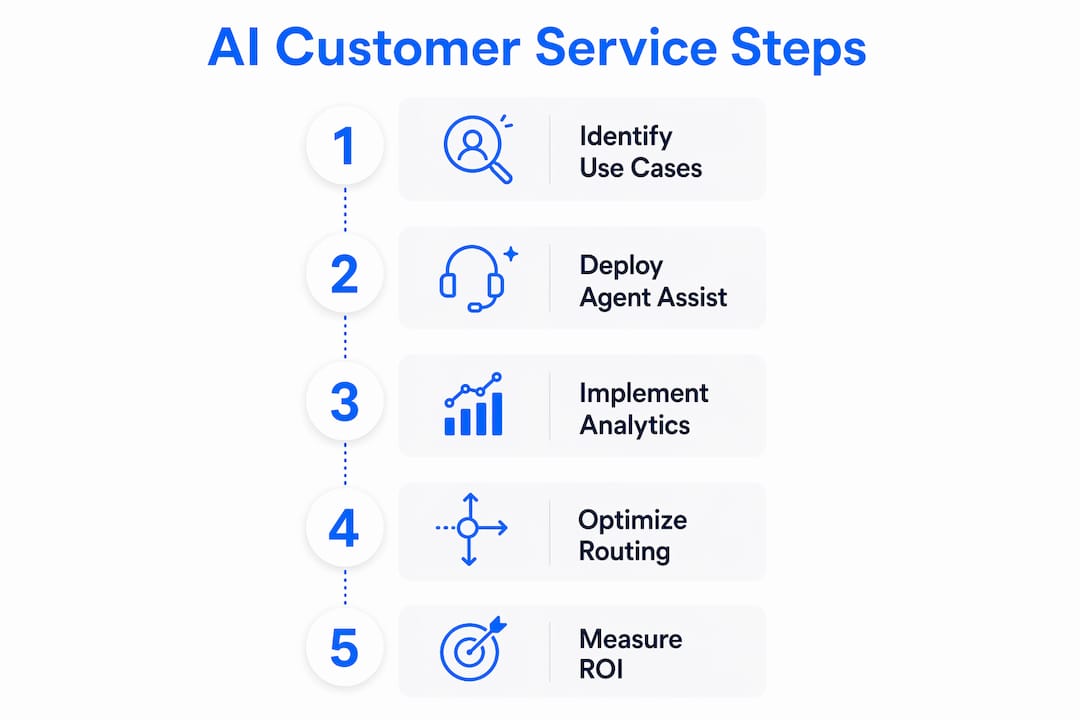
- How to run your first AI pilot in 6 steps
- What the research says, and what it looks like in practice
- Key Takeaways
- The part most buyers get wrong
- Chirps gives you a faster path to omnichannel AI agents
- Useful sources and further reading
What AI in customer service actually means
AI in customer service is the use of machine learning, natural language processing, and generative models to automate, augment, or personalize interactions between a business and its customers, across any channel. That definition covers a wide range of tools, and conflating them is one of the most common planning mistakes.
The main technology categories, and what each one actually does:
- Chatbots and conversational AI: Rule-based or large-language-model-powered bots that handle inbound questions, guide users through processes, and escalate when needed. Think order status, password resets, and appointment booking.
- Generative AI for content and replies: Models that draft responses, summarize tickets, or write knowledge-base articles. Anthropic’s Claude documents building support agents that use internal knowledge to take action across systems and deliver personalized responses.
- Predictive analytics: Models that score ticket priority, forecast contact volume, or flag customers at churn risk before they reach out.
- Agent assist and desk automation: Real-time tools that surface relevant knowledge articles, suggest reply drafts, and auto-populate ticket fields while a human agent is in a live conversation.
- Sentiment analysis: NLP models that classify the emotional tone of a message or call, enabling real-time escalation or post-interaction quality scoring.
- Voice AI and intelligent IVR: Speech-recognition and text-to-speech systems that handle inbound calls, authenticate callers, and route or resolve without a live agent.
Each category solves a different problem. A business that deploys only a chatbot and calls it “AI-powered support” is leaving most of the value on the table.

The business benefits you should actually expect
The headline numbers are real, but they come with conditions. McKinsey’s cross-industry data ties the 15–20% CSAT improvement, 5–8% revenue uplift, and 20–30% cost-to-serve reduction to implementations that integrate AI across the customer lifecycle, not point solutions dropped into a single channel. That context matters when you are setting internal expectations.
With that caveat in place, here is what well-executed AI in customer service delivers:
- Faster first response: Automated triage and instant bot replies cut first-response time (FRT) dramatically on chat and email channels, often from hours to seconds.
- Lower cost per contact: Deflecting routine queries to self-service and automating ticket classification reduces the volume of contacts that require a live agent.
- 24/7 coverage without 24/7 headcount: A deployed virtual agent handles after-hours inquiries, appointment scheduling, and status checks without staffing a night shift.
- Higher agent productivity: Agent-assist tools reduce average handle time (AHT) by surfacing the right answer faster. Agents spend less time searching and more time resolving.
- Personalization at scale: AI can pull CRM data in real time to tailor a response to a customer’s history, tier, or recent behavior, something a human agent can do for one customer but not for thousands simultaneously.
- Proactive outreach: Predictive models identify customers who are likely to churn, have an unresolved issue, or qualify for an upsell, and trigger an outreach before the customer contacts you.
Pro Tip: Pair agent assist with your self-service bot from day one. When the bot deflects a query it should not have, the agent-assist layer catches the gap and the ticket data feeds back into model improvement. Running them separately slows that learning loop.
The cost reduction argument tends to close budget conversations. The CSAT argument tends to close skeptic conversations. Use both.
Where AI gets deployed: core use cases by channel
The strongest deployments pick two or three high-volume use cases and execute them well, rather than spreading thin across every channel at once. Three application buckets cover most of the value:

1. Customer-facing automation
This is the most visible layer: chatbots on your website or app, voice AI on your phone line, and automated email responses. Common use cases include:
- Order tracking and status updates
- FAQ deflection and knowledge-base search
- Appointment scheduling and rescheduling
- Lead qualification and intake forms
- Password resets and account authentication
2. Agent augmentation
This is where AI earns its keep for complex interactions. Common agent-assist features include ticket classification and triage, sentiment-flagged escalation, real-time reply suggestions, and auto-drafted responses that agents review and send. The agent stays in control; the AI handles the retrieval and drafting work.
3. Analytics and intelligent routing
Sentiment analysis scores every interaction, not just the ones that get a post-chat survey. Predictive routing sends high-value or high-frustration customers to your most experienced agents. Volume forecasting helps workforce management plan staffing more accurately.
Two short scenarios that show the before/after:
Scenario A — E-commerce returns: Before AI, a customer emails about a return, waits four hours for a reply, and speaks to an agent who spends three minutes finding the return policy. After: the bot handles the return initiation end-to-end in under two minutes, and the agent queue drops by 30% for that query type.
Scenario B — Hotel front desk overflow: Before AI, after-hours calls go to voicemail and guests wait until morning. After: a voice AI agent handles room service requests, wake-up calls, and local recommendations around the clock, escalating only genuine emergencies to an on-call manager.
What to evaluate before you deploy
The technology is rarely the bottleneck. Data quality, integration architecture, and internal alignment are where most AI customer service projects stall or fail.
Prerequisites to confirm before you sign a vendor contract:
- Data readiness: Do you have at least 6–12 months of historical ticket data, including agent replies? Training a model on whitepaper-style product docs alone produces stilted, unhelpful responses. Cohere’s documentation on training support assistants is explicit: models trained on real ticket logs and actual agent replies produce on-brand drafts that require far less editing and get adopted faster by agents.
- CRM and helpdesk integration: The AI needs to read and write customer data in real time. Confirm your CRM (Salesforce, HubSpot, Zendesk, or equivalent) has a supported integration or a documented API path.
- Fallback and handoff rules: Define exactly when the bot escalates to a human, what context it passes, and what happens if no agent is available. Undefined handoff rules are the single most common cause of poor CSAT in early deployments.
- Governance and model auditing: Who owns the AI’s outputs? Who reviews flagged responses? Who approves changes to the training data? These questions need answers before launch, not after an incident.
Vendor questions to ask during shortlisting:
- Where is customer data stored, and does it leave U.S. jurisdiction?
- Can the model be trained on our own historical ticket data, and how often is it retrained?
- What is your process for auditing model outputs and catching hallucinations?
- What SLAs cover uptime, response latency, and incident response?
- What does a rollback look like if the model degrades after a retraining cycle?
- How do you handle PII in training data, and are you compliant with CCPA and applicable state privacy laws?
Security and compliance note for U.S. businesses: Customer conversations contain PII, payment references, and sometimes protected health information. Confirm that any AI vendor you deploy is compliant with CCPA (California), applicable state-level privacy statutes, and, if you operate in healthcare, HIPAA. Data residency in the U.S. is not automatic, and some platforms route data through overseas infrastructure by default. Ask explicitly.
Pro Tip: Before you evaluate vendors, map your top 10 ticket categories by volume. That list becomes your use-case scope, your training dataset filter, and your success metric all at once.
How to measure success and calculate ROI
Set your KPIs before launch, not after. Teams that define success criteria post-deployment almost always end up in a debate about whether the numbers are good enough.
Primary KPIs for AI in customer service
| KPI | Definition | Why it matters | Target improvement range |
|---|---|---|---|
| CSAT | Customer satisfaction score, usually post-interaction survey | Directly measures experience quality | +15–20% improvement |
| First Response Time (FRT) | Time from ticket creation to first agent or bot reply | Correlates strongly with satisfaction on async channels | Significant reduction on automated channels |
| Average Handle Time (AHT) | Average duration of a support interaction | Drives cost per contact | 10–20% reduction with agent assist |
| Deflection rate | % of contacts resolved without a live agent | Primary cost-reduction lever | 20–30% reduction in cost-to-serve indicated |
| Cost per contact | Total support cost divided by total contacts handled | Ties AI investment to P&L impact | 20–30% reduction over 12 months |
| NPS (where tracked) | Net Promoter Score across the customer base | Longer-term loyalty signal | Directional improvement; varies by industry |
Sample ROI calculation
Assume a mid-sized support team handling a large volume of contacts at a moderate average cost per contact. A well-deployed AI layer deflects a significant portion of contacts to self-service and reduces average handle time on the remaining contacts.
- Deflection saves: a substantial number of contacts multiplied by the average cost per contact equals a meaningful monthly saving
- AHT reduction saves: the remaining contacts multiplied by a portion of the average cost per contact equals additional monthly savings
- Combined monthly saving: a considerable monthly saving
- Annualized: a significant annual saving
Set against a typical mid-market AI platform subscription cost, the payback period on this conservative model can be under a few months. These are illustrative figures; your actual numbers depend on contact volume, current cost structure, and deflection rate achieved.
Measurement checklist:
- Establish a 4-week pre-launch baseline for every KPI above.
- Run an A/B test: route 50% of eligible contacts through the AI channel, 50% through the existing channel.
- Instrument every handoff point to capture escalation rate and reason.
- Review weekly for the first 8 weeks; monthly thereafter.
- Tie model retraining cycles to KPI review dates, not to a fixed calendar.
Challenges and risks you need to plan for
AI in customer service has a real failure mode: deploying fast, skipping governance, and discovering the problems through customer complaints rather than internal testing.
The main risk categories:
- Hallucinations: Generative models can produce confident, plausible-sounding answers that are factually wrong. This is especially dangerous in regulated industries (financial services, healthcare) where a wrong answer has legal consequences.
- Bias in training data: If your historical ticket data reflects biased routing or inconsistent agent behavior, the model learns those patterns. Audit your training data before you use it.
- Over-automation: Pushing too many query types to self-service without adequate fallback degrades CSAT for customers with complex or emotional needs. Industry analysis consistently points to augmentation, not replacement, as the design pattern that protects satisfaction scores.
- Data privacy exposure: Customer conversations are sensitive. A misconfigured integration or a vendor with weak data handling can expose PII at scale.
- Agent resistance: Agents who feel surveilled or replaced by AI tools disengage. Change management is not optional.
Mitigation steps:
- Implement a human-in-the-loop review for any AI-generated response in a regulated topic area before it goes live in production.
- Red-team the bot before launch: have your team try to get it to produce wrong, offensive, or off-brand answers.
- Log every AI-generated response and every escalation reason. That log is your audit trail and your retraining dataset.
- Set a hard deflection cap during the pilot (e.g., no more than 30% of contacts go to self-service until you have 8 weeks of CSAT data).
- Involve frontline agents in the rollout. They know the edge cases the model will miss.
Red flags in vendor pitches:
- Claims of “100% automation” or “zero escalations” for complex support environments.
- Opaque training data with no explanation of what the model was trained on.
- No rollback plan or model versioning capability.
- Inability to show you a live demo on your own ticket data before contract signing.
Research consistently shows that AI augments support staff rather than replacing them. Vendors who pitch otherwise are either overstating capability or underselling the complexity of real-world support.
Trends shaping the next 2–5 years
The current wave of AI in customer service is largely reactive: a customer contacts you, the AI responds. The next wave is proactive. That shift has significant budget and architecture implications.
Trends to plan for:
- Proactive and predictive service: AI identifies a problem (a delayed shipment, an expiring subscription, a failed payment) and reaches out before the customer does. McKinsey’s next-best-experience framework ties this approach to the 15–20% CSAT and 5–8% revenue improvements cited earlier. The key is combining propensity models, channel preference models, and value models into a single decisioning layer.
- Agentic AI: The next generation of AI agents does not just answer questions; it takes actions. Booking a flight change, processing a refund, updating an account record, filing a claim. These multi-step, multi-system workflows are already in production at early adopters and will be mainstream within two years.
- Multimodal interactions: Voice and text are converging. Customers expect to start a conversation on chat and finish it on a phone call without repeating themselves. AI systems that maintain context across modalities are moving from differentiator to baseline expectation.
- Tighter CX data fabrics: The businesses getting the most from AI are the ones that have unified their customer data across CRM, support desk, e-commerce, and marketing platforms. Without that unified data layer, personalization stays shallow.
The planning implication is straightforward: if your customer data is siloed today, that is the infrastructure investment to prioritize before your next AI project. The model is only as good as the data it can access.
How to run your first AI pilot in 6 steps
The best pilot combines agent assist (internal, lower risk) with a single-channel customer-facing bot (visible, measurable). Six weeks to eight weeks is enough to generate statistically meaningful data on FRT, AHT, and deflection rate.
Step-by-step pilot plan:
- Scope the use case. Pick one high-volume, low-complexity query type (order status, appointment booking, password reset). Define the success KPIs before you do anything else.
- Prepare your dataset. Pull 6–12 months of tickets for that query type, including agent replies. Clean for PII. This is your training corpus.
- Integrate with your helpdesk. Connect the AI platform to your ticketing system (Zendesk, Freshdesk, ServiceNow, or equivalent) via API. Confirm the CRM read/write connection works before soft launch.
- Soft launch with agent assist only. Run the AI in suggestion mode for two weeks. Agents see the draft; they approve or edit before sending. Track edit rate and agent satisfaction. A high edit rate signals a training data or prompt problem.
- Enable the customer-facing bot on one channel. After agent-assist is stable, open the bot to customers on chat or email. Monitor escalation rate and CSAT daily for the first two weeks.
- Measure, retrain, and decide. At week 6–8, compare KPIs against your pre-launch baseline. If deflection rate and CSAT are both positive, you have a business case for the next channel. If CSAT dropped, diagnose before expanding.
Vendor evaluation questions specific to pilots:
- Can we run a time-limited pilot on a subset of our ticket data before committing to an annual contract?
- What does the onboarding timeline look like from data ingestion to first live interaction?
- How quickly can the model be retrained if we identify a systematic error in week two?
- What support resources are included during the pilot period?
A realistic pilot timeline for a mid-market business with clean data and a supported helpdesk integration is 6–10 weeks from kickoff to first live customer interaction.
What the research says, and what it looks like in practice
McKinsey’s analysis of next-best-experience implementations across industries found that connecting AI across the customer lifecycle, rather than deploying isolated tools, is what drives the largest outcomes: CSAT improvements of 15–20%, revenue uplift of 5–8%, and cost-to-serve reductions of 20–30%.
The practical implication: a chatbot that answers FAQs is a cost-reduction tool. An AI system that knows a customer’s purchase history, current open ticket, and channel preference, and uses that to decide whether to send a proactive SMS or wait for an inbound call, is a revenue and retention tool. The gap between those two outcomes is architecture, not technology.
A deployment that tracks to the McKinsey model looks like this:
- Data layer: CRM, support desk, and e-commerce data unified in a single customer profile.
- Model layer: Separate models for propensity (who needs outreach), channel (where to reach them), and value (what to offer or resolve).
- Execution layer: An omnichannel agent that can act on chat, voice, email, and in-app simultaneously, with a clean handoff to a human agent when the interaction exceeds the model’s confidence threshold.
- Feedback loop: Every resolved interaction, every escalation, and every customer response feeds back into model retraining on a defined cycle.
Cohere’s work on training support assistants reinforces a point that gets underweighted in vendor demos: models trained on real ticket logs and actual agent replies outperform models trained on product documentation alone, because they learn the messy, real-world phrasing and internal procedures that agents actually use.
Key Takeaways
AI in customer service delivers its largest business outcomes when integrated across the customer lifecycle, not deployed as a single-channel chatbot.
| Point | Details |
|---|---|
| Start with agent assist | Running AI in suggestion mode first protects CSAT while the model learns your brand voice. |
| Target measurable KPIs | Track CSAT, FRT, AHT, deflection rate, and cost per contact before and after deployment. |
| Data quality determines results | Train models on real ticket logs and agent replies, not just product documentation. |
| Governance is non-negotiable | Define fallback rules, audit processes, and rollback plans before launch, not after an incident. |
| Chirps accelerates deployment | Chirps trains agents from real business interactions and connects chat, voice, and CRM in a single platform, matching the omnichannel architecture the research supports. |
The part most buyers get wrong
The conversation about AI in customer service tends to get stuck on two questions: “Will it replace my agents?” and “How much will it cost?” Both are the wrong starting point.
Research is consistent that AI augments support staff rather than replacing them. The teams that get the most out of these tools are the ones that involved frontline agents early, used their feedback to shape the training data, and gave them visibility into what the AI was suggesting and why. The teams that struggled deployed a bot, watched CSAT drop, and blamed the technology.
The cost question is also backwards. The right question is: what is the cost of not deploying? A competitor who deflects 30% of routine contacts and responds to the rest in seconds has a structural cost and experience advantage that compounds over time. The ROI calculation in this article is conservative. The competitive risk of inaction is harder to quantify but probably larger.
One thing buyers consistently underestimate: the importance of the feedback loop. A model that is not retrained on live interaction data goes stale within months. The vendors worth paying for are the ones who make continuous learning easy, not the ones who hand you a model and walk away. Ask every vendor you evaluate: “What does retraining look like six months after go-live?” The answer tells you more than any demo.
Chirps gives you a faster path to omnichannel AI agents
Most teams spend their first three months on integration work before a single customer interaction goes live. Chirps cuts that timeline by training virtual agents directly from your real business interactions and connecting out of the box with the CRM, e-commerce, and helpdesk tools you already use.
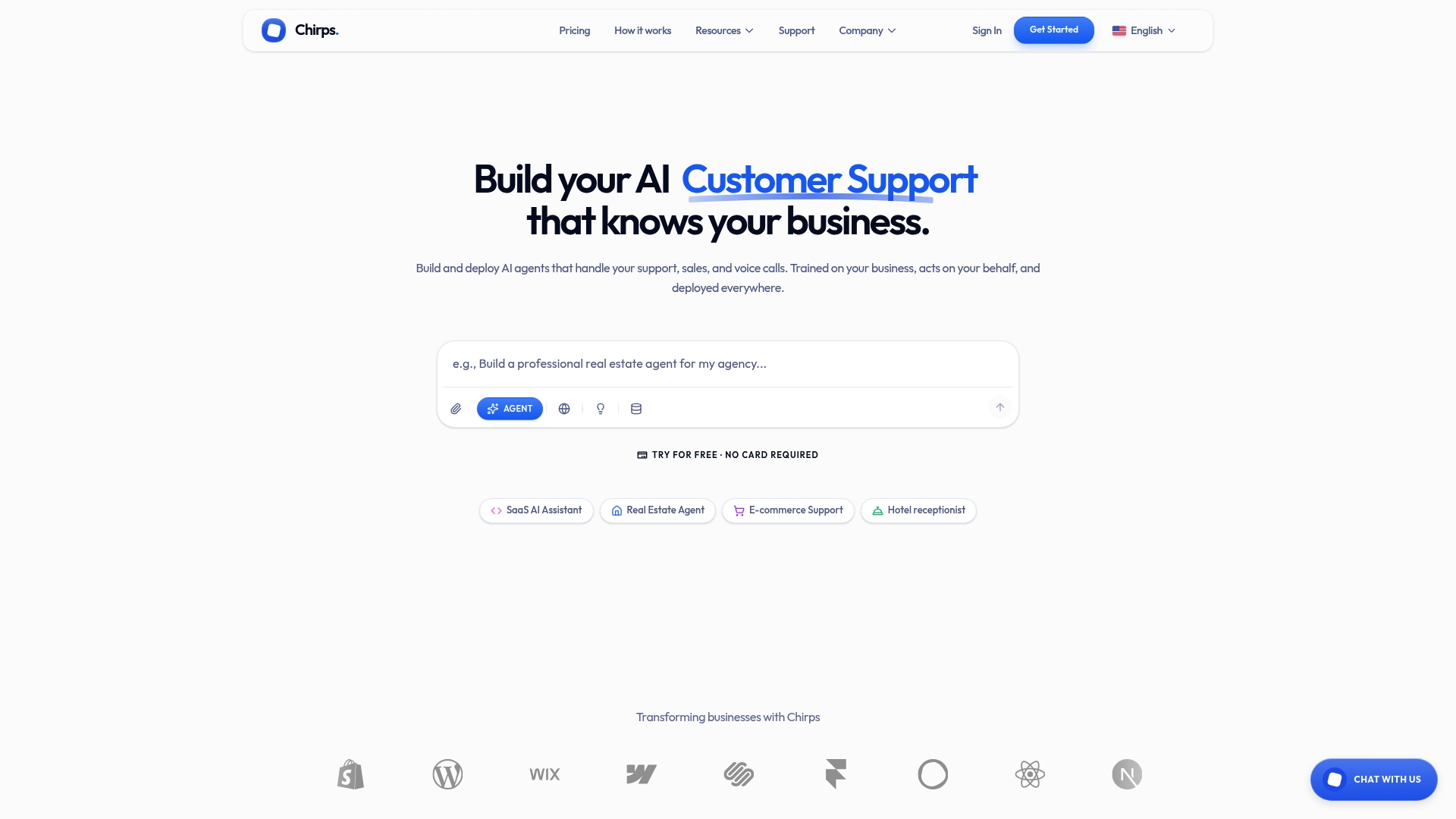
The platform handles the full stack the research points to: customer-facing chat and voice agents, agent-assist for your live team, lead qualification, appointment scheduling, and real-time alerts when a conversation needs human attention. Every agent learns from actual interactions, so brand voice alignment happens faster than with documentation-only training. For teams that want to run the 6-step pilot outlined above, Chirps supports a soft-launch in agent-assist mode before any customer-facing exposure, which is exactly the lower-risk sequencing this article recommends.
If you are ready to move from planning to a working pilot, see how Chirps works and request a demo scoped to your top two or three use cases.
Useful sources and further reading
The sources below are the primary research and reference materials behind this article. Each is worth bookmarking for your own internal briefings.
| Source | Type | Why it is useful |
|---|---|---|
| McKinsey: Next Best Experience | Research | Quantified outcomes (CSAT, revenue, cost-to-serve) for AI integrated across the customer lifecycle; the strongest business case available. |
| Anthropic: Claude for Customer Support | Vendor / Technical | Documents how generative AI agents handle multi-step processes, internal knowledge retrieval, and cross-system actions. |
| Cohere Assist | Vendor / Technical | Practical guidance on training support assistants from ticket data; useful for dataset preparation and model adoption. |
| Forethought: AI in Customer Service Examples | Industry blog | Concrete list of deployed use cases (chatbots, agent assist, triage, sentiment analysis) with real-world context. |
| DevRev: Future of AI in Customer Service | Industry analysis | Covers the proactive service trajectory and the augmentation-over-replacement argument for the next 3–5 years. |
| CGS: Will AI Replace Customer Support? | Industry Q&A | Evidence-backed analysis of the human+AI partnership model; useful for internal stakeholder conversations about job impact. |
| Gartner: Conversational AI and Contact Center | Analyst research | Gartner’s predictions on conversational AI reducing contact center agent labor costs; authoritative for budget conversations. |
| Chirps product page | Product resource | Overview of Chirps’ omnichannel agent platform, integrations, and pilot options; the recommended starting point for teams evaluating a fast deployment. |