

For business owners and support managers who need built-in AI agent capability rather than bolt-on features, Chirps is the strongest Dialpad alternative in 2026. It deploys omnichannel virtual agents across voice, SMS, webchat, and email, integrates with your CRM in days rather than months, and publishes SOC 2 compliance information directly on its site. Most teams reach a working pilot in under two weeks.
That said, the right fit depends on your stack and scale. Here is a compact shortlist by category:
- Specialist virtual-agent platforms (Chirps): built-in AI agent workflows, omnichannel, rapid deployment
- Enterprise UCaaS platforms (RingCentral, Zoom Phone, Nextiva): full unified communications with AI as a tier-locked add-on
- Contact-center platforms (Five9, 8x8): deep routing and workforce management, AI via integrations
- CRM-centric phone systems (Nextiva with CRM bundling): strong if your team already lives in a CRM
- Lightweight SMB-focused phone apps (Aircall): easy setup, limited native AI agent depth
Every option on this list offers a free trial or demo. Before booking one, confirm the minimum-user requirement: several platforms enforce thresholds that trigger automatic tier upgrades and hidden recurring costs.
Table of Contents
- How do the top Dialpad alternatives compare on AI virtual agents?
- How to pick the right Dialpad alternative for your team
- Which vendor category fits your business?
- Why Chirps stands out for AI-driven virtual agents
- What does switching actually cost?
- What users actually say about these platforms
- Contract terms and cancellation policies
- Key Takeaways
- The case for starting with the right category, not the biggest brand name
- Chirps offers a faster path to AI-driven customer automation
How do the top Dialpad alternatives compare on AI virtual agents?
The table below maps each platform category against the dimensions that matter most when you are replacing Dialpad for AI-driven support or sales automation.

| Dimension | Chirps | Enterprise UCaaS (RingCentral, Zoom Phone, Nextiva) | Contact-Center Platform (Five9, 8x8) | SMB Phone App (Aircall) |
|---|---|---|---|---|
| Best for | AI virtual agents, support & sales automation | Full UCaaS with voice, video, messaging | High-volume contact centers, complex routing | SMB teams needing simple cloud calling |
| AI virtual agent | Built-in, trained on your interactions | Add-on or tier-locked | Add-on via integrations | Limited; third-party only |
| Channels | Voice, SMS, webchat, email, social | Voice, SMS, video, chat | Voice, SMS, email, chat | Voice, SMS |
| CRM & helpdesk integrations | Native; rapid setup | Available; often higher-tier | Available; complex setup | Available; mid-tier |
| Pricing model | Subscription, tiered by agent/volume | Per-user/month; minimums apply | Per-agent or per-interaction; minimums apply | Per-user/month |
| Deployment speed | Days to pilot | Weeks to months | Weeks to months | Days |
| Human handoff | Built-in escalation routing | Manual or rule-based | Advanced routing | Basic |
| Security & compliance | SOC 2; compliance info on site | SOC 2, HIPAA (higher tiers) | SOC 2, HIPAA | SOC 2 |
| Support & SLAs | Dedicated onboarding | Tiered; enterprise SLAs extra | Tiered; enterprise SLAs extra | Email/chat; phone on higher tiers |
| Free trial / demo | Yes | Yes | Yes | Yes |
A few pricing realities worth flagging: advertised per-user prices often understate the real starting cost once CRM connectors, AI features, and minimum-user gates are factored in. Reviews across platforms also consistently flag call quality degradation on weak network connections, so test on your actual office infrastructure, not a demo environment.
Common reasons teams leave Dialpad: metered international calling, limited video capacity, and plan-gated CRM integrations. If any of those drove your search, confirm explicitly how each shortlisted vendor handles those three points before signing.
How to pick the right Dialpad alternative for your team
The core decision is straightforward: do you need a platform where AI agent training and governance are built into the product, or can you accept an external AI layer wired in through integrations? That choice drives integration complexity and total cost of ownership more than any other single factor.
Criteria to prioritize (in order)
- AI agent capability — built-in vs. add-on; ask how the model is trained and who owns the data
- Integration readiness — native CRM and helpdesk connectors vs. middleware-dependent setups
- Channels supported — confirm webchat, SMS, and email are included, not tier-locked
- Pricing transparency — get the all-in number including minimums and feature gates
- SLA and support quality — what response time is guaranteed, and at which tier
- Security and compliance — SOC 2 at minimum; HIPAA if you handle health-adjacent data
- Developer and automation access — API availability for custom workflows
- Analytics and reporting — real-time dashboards vs. delayed exports
Questions to ask during every demo
- How is the AI agent trained, and what data flows to third parties?
- Walk me through a sample escalation from bot to human agent.
- What is the minimum active-user or active-agent requirement on this plan?
- What are your per-minute international calling rates, and are they published?
- How long does number porting take, and what is the parallel-run process?
- Which CRM integrations are native vs. Zapier-dependent?
- What happens to my data if I cancel?
Red flags to walk away from
- Minimum-user thresholds buried in the contract, not the pricing page
- CRM connectors paywalled behind the top tier
- No published SOC 2 or HIPAA documentation
- International rates that require a sales call to obtain
- Provisioning timelines measured in weeks for a basic setup
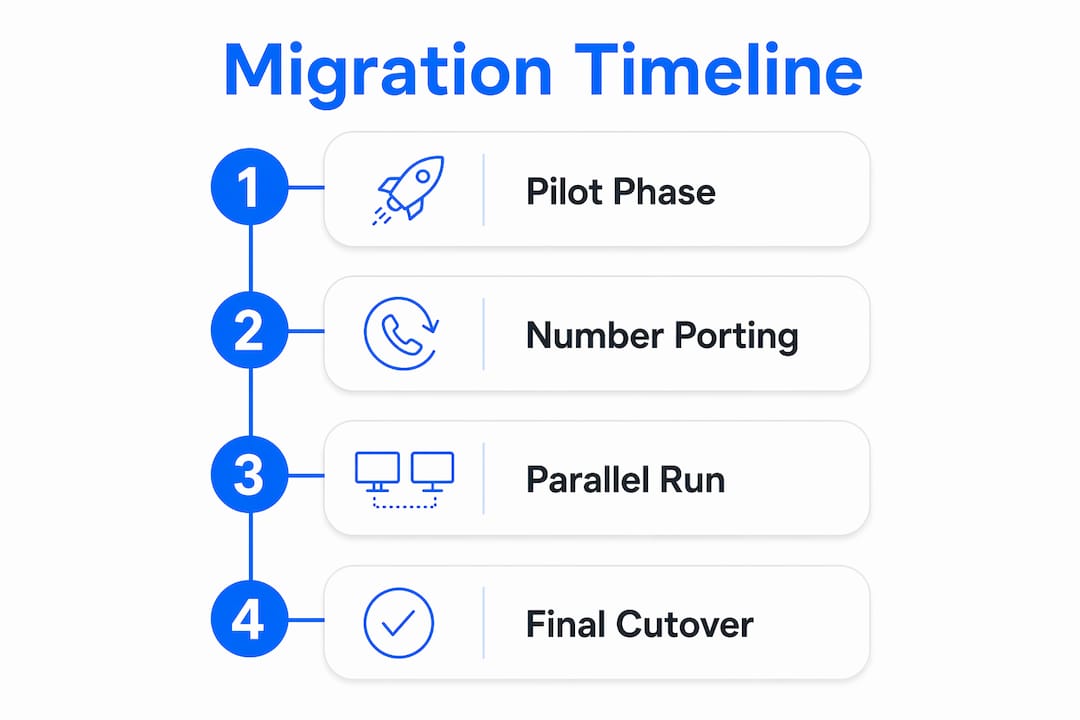
Migration timeline
A realistic phased switch runs: a pilot phase followed by number porting, then a parallel run before cutover. Budget several weeks total for a mid-size team. Running real call flows in parallel for at least one to two weeks before cutover is the single most reliable way to catch routing errors and integration gaps before they affect customers.
Pro Tip: Check minimum-user rules against your actual headcount before the demo, not after. A plan that looks affordable at $X per user can jump significantly the moment a minimum-user gate forces you into a higher tier.
Which vendor category fits your business?
Enterprise UCaaS platforms
RingCentral, Zoom Phone, and Nextiva make sense when your team needs voice, video, messaging, and basic AI features under one contract. The tradeoff: AI agent depth is usually tier-locked, CRM integrations often require a higher plan, and provisioning for larger orgs can stretch to several weeks. Minimum-user thresholds are common. These platforms suit teams of 50+ who prioritize unified communications over specialized AI agent workflows.
Contact-center platforms
Five9 and 8x8 are built for high-volume inbound and outbound call centers with complex routing, workforce management, and compliance requirements. AI capabilities exist but typically arrive via integrations rather than native agent builders. Setup is more involved, often requiring dedicated admin resources and a longer onboarding period. HIPAA compliance is available on enterprise tiers. Best for operations teams running hundreds of concurrent calls.
CRM-centric phone systems
If your team already runs on a CRM and wants calling baked in, a CRM-centric approach (such as Nextiva’s CRM bundling) reduces context-switching. The limitation is that AI agent functionality is usually shallow compared to a specialist platform. You gain tight data continuity; you trade off agent autonomy and omnichannel depth.
SMB-focused phone apps
Aircall and similar lightweight apps deploy in hours and require almost no IT involvement. They work well for small sales teams that need click-to-call and basic call logging. Native AI agent capability is minimal; anything beyond call recording typically requires a third-party integration. No minimum-user headaches at the entry tier, but the ceiling is low for teams that want to automate support flows.
Specialist virtual-agent platforms
This is the category where Chirps sits. These platforms are purpose-built for AI agent deployment across multiple channels, with training, routing, and escalation logic built into the product rather than assembled from parts. Deployment is faster than enterprise UCaaS, AI governance is clearer, and the pricing model is designed around agent volume or interaction capacity rather than per-seat headcount. The right fit for teams whose primary goal is automating customer support and sales conversations, not replacing a phone system.
Why Chirps stands out for AI-driven virtual agents
Chirps handles the full customer interaction lifecycle: inbound support, outbound sales qualification, appointment scheduling, and real-time escalation to a human agent when the conversation requires it. All of that runs across voice, webchat, SMS, and email from a single platform.
The integration story is practical. Chirps connects natively with CRMs and e-commerce platforms, so your agents surface order history, ticket status, and customer records without manual lookup. Real-time dashboards show handle time, escalation rate, and lead conversion as the pilot runs, giving you measurable KPIs from day one rather than after a lengthy configuration phase.
For customer support teams, a typical deployment starts with one inbound use case, runs for two to four weeks as a pilot, and scales from there. Sales teams use the same agent infrastructure for lead qualification, routing high-intent prospects to reps while the AI handles initial screening. Hotels and real estate agencies use appointment scheduling flows that reduce front-desk load without sacrificing the personal handoff when a guest or buyer needs a human.
On compliance: Chirps publishes its SOC 2 posture and compliance documentation on its site, which matters for U.S. businesses that need to demonstrate data-handling standards to enterprise clients or regulated industries.
What does switching actually cost?
The advertised per-user price is rarely the number that shows up on your first invoice. Hidden costs cluster in four places: minimum-user thresholds that force tier upgrades, per-minute international calling charges that compound quickly on global teams, CRM integration fees locked behind higher tiers, and early-termination penalties on annual contracts.
Termination penalties vary widely. Some vendors charge the remaining contract balance; others charge a flat fee. Always request the cancellation clause in writing before signing, and confirm whether month-to-month pricing is available at a premium if you want flexibility during a pilot period.
International calling is a particular blind spot. Transparent per-minute rate tables are a meaningful differentiator; if a vendor requires a sales call to quote international rates, that is a signal the numbers are not favorable.
What users actually say about these platforms
Third-party culture and rating scores appear on comparison pages but should be secondary to product fit and security certifications when you are making a purchasing decision. The more useful signal comes from aggregated user reviews on G2, Capterra, and GetApp, where patterns emerge across hundreds of reviews rather than a single score.
Across cloud telephony platforms, the most consistent complaints are call quality on weak connections, support responsiveness on lower tiers, and billing surprises from feature gating. Positive reviews cluster around ease of setup, mobile app reliability, and CRM sync accuracy. When reading reviews, filter for your company size and use case: a 500-seat contact center and a 12-person sales team have almost nothing in common in terms of what they need from a platform.
Contract terms and cancellation policies
Most enterprise UCaaS and contact-center platforms default to annual contracts with auto-renewal clauses. The auto-renewal window, typically 30–60 days before the contract end date, is the most commonly missed detail. Missing it locks you in for another year.
Month-to-month options exist on most platforms but carry a price premium of roughly 15–25% over the annual rate. For a pilot or evaluation period, that premium is worth paying to preserve flexibility. Once you have validated the platform against real traffic, switching to annual pricing makes sense.
Data portability is a separate question from cancellation. Confirm before signing that you can export call recordings, transcripts, contact data, and AI training data in a standard format. Some platforms restrict data exports to higher tiers or charge an export fee.
Key Takeaways
The strongest Dialpad alternative for AI-driven virtual agents is a specialist platform with built-in agent workflows, native CRM integrations, and transparent pricing, not a UCaaS suite with AI bolted on.
| Point | Details |
|---|---|
| Built-in AI beats bolt-on | Platforms with embedded agent training reduce integration complexity and total cost of ownership. |
| Minimum-user gates are a hidden cost | Confirm minimum-user thresholds before signing; they can force tier upgrades that change your effective price. |
| Run a parallel pilot | Test real call flows for 1–2 weeks alongside your existing setup before cutting over. |
| International calling transparency matters | Request published per-minute rate tables; vendors that require a sales call to quote rates often have unfavorable pricing. |
| Chirps for specialist AI agent needs | Chirps deploys omnichannel virtual agents with built-in escalation, CRM integrations, and SOC 2 compliance. |
The case for starting with the right category, not the biggest brand name
The most common mistake I see in vendor evaluations is starting with brand recognition rather than architecture. Teams spend weeks evaluating a well-known UCaaS platform, discover the AI agent capability they actually need is locked behind an enterprise tier or requires a third-party integration, and restart the process from scratch.
The built-in vs. modular AI decision should be the first filter, not an afterthought. If your primary goal is automating customer conversations across channels, a specialist virtual-agent platform will outperform a general UCaaS suite at that specific job, often at lower total cost and faster deployment. The UCaaS platforms are excellent at what they are designed for: unified communications at scale. They are not purpose-built for AI agent workflows, and the gap shows in configuration time and ongoing maintenance.
One practical note: when you run your pilot, measure escalation rate and handle time from the first week. Those two numbers tell you more about whether the AI agent is actually working than any demo scenario will.
Chirps offers a faster path to AI-driven customer automation
If you have been evaluating UCaaS platforms and keep hitting paywalls for the AI features you actually need, Chirps is worth a direct look. The platform deploys virtual agents across voice, SMS, webchat, and email with native CRM and e-commerce integrations, and most teams reach a working pilot in under two weeks without a lengthy IT project.
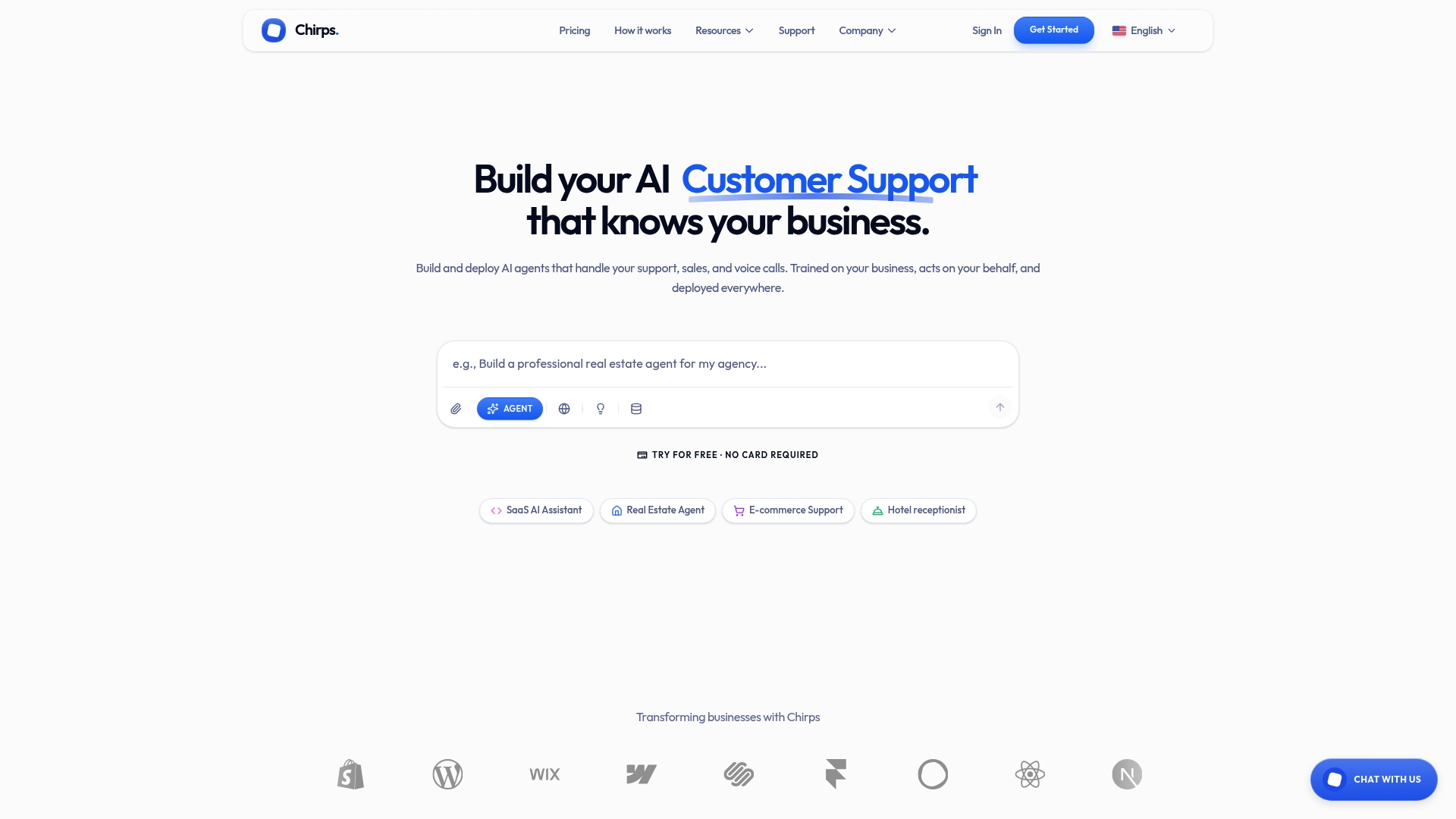
A focused pilot runs well on a single inbound support use case over two to four weeks. Track four KPIs: handle time, first-contact resolution rate, lead conversion lift, and escalation rate. Those numbers give you a clear before-and-after picture without committing to a full rollout. Pricing is transparent, minimum-user terms are stated upfront, and the compliance documentation is published on the site rather than gated behind a sales call.
Book a Chirps pilot and run your first use case against real traffic. The evaluation pays for itself in the data it produces.