
CHIRPS FOR WORDPRESS
Your website.
An assistant that knows your business.
Give your visitors helpful answers, collect inquiries, and book appointments in your website chat. Connect Chirps and create your assistant right inside WordPress.
Free plugin. Chirps account required. Free and paid Chirps plans.
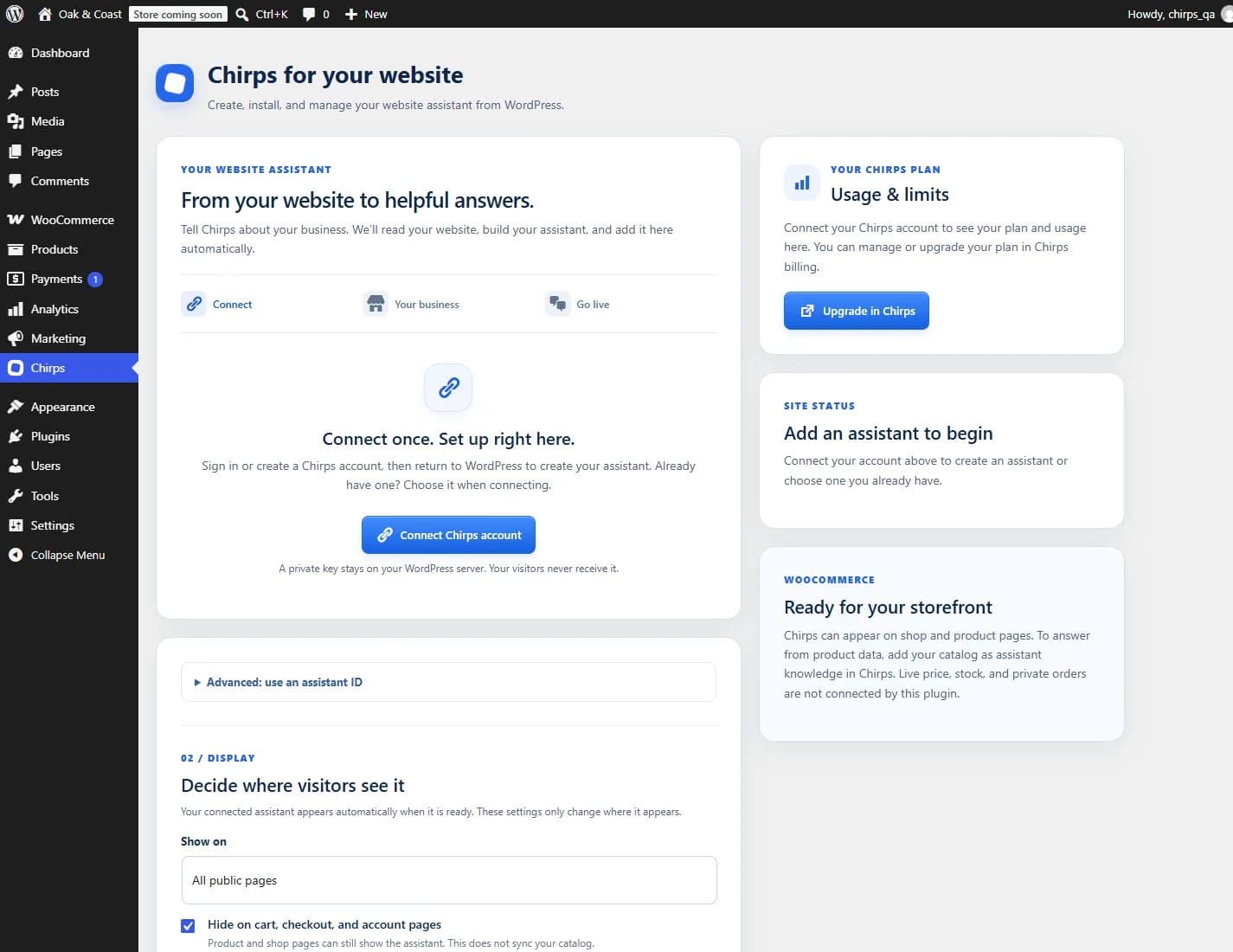
FROM YOUR WEBSITE TO YOUR ASSISTANT
Set it up where you already work.
Start in WordPress. Tell Chirps about your business. We’ll read your public website and add your assistant when it’s ready.
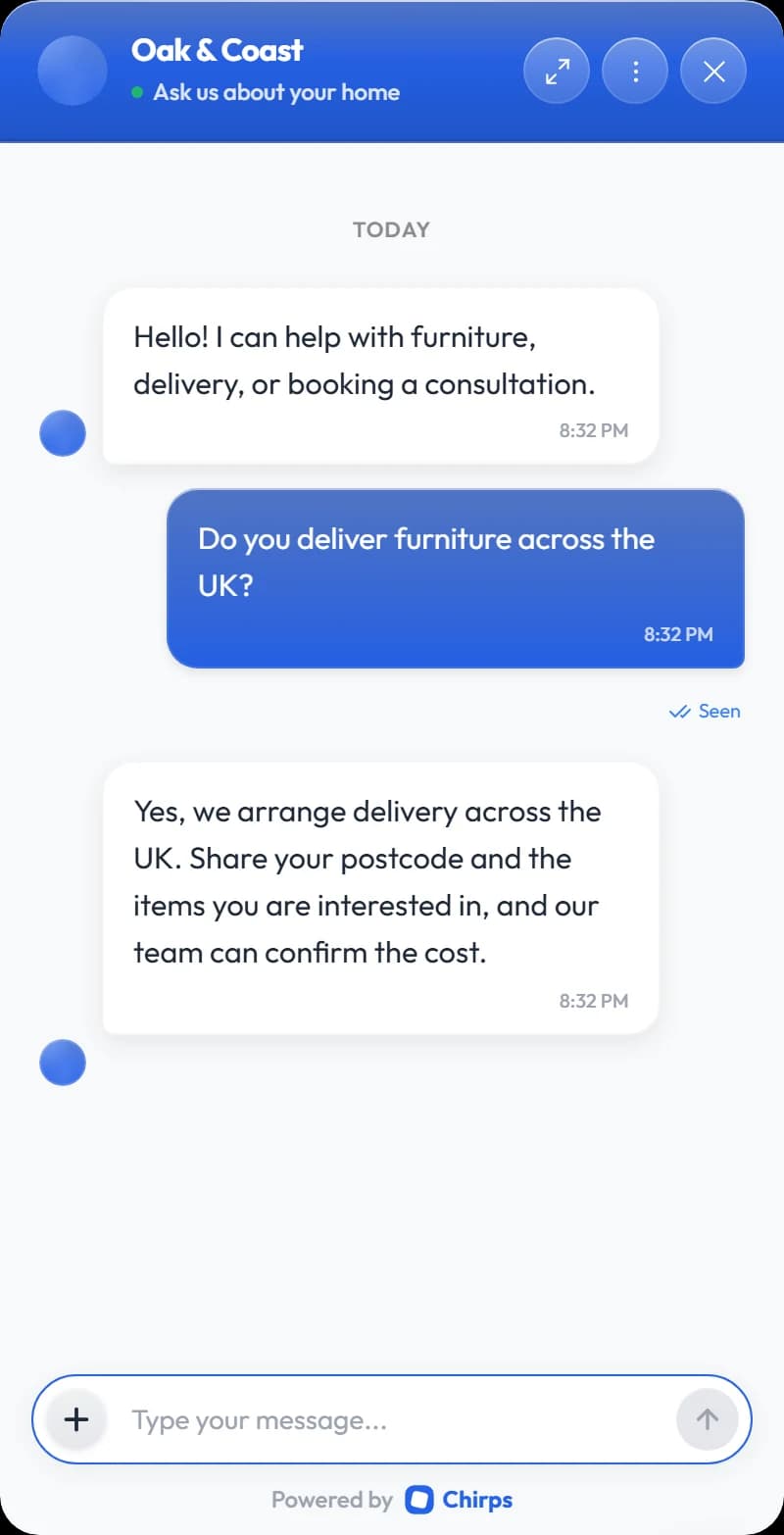
HELP YOUR VISITORS TAKE THE NEXT STEP
A question can become your next customer.
Your business knowledge. In the conversation.
Help your visitors understand your services, products, opening hours, and policies. Train your assistant on your public pages, documents, and instructions in Chirps.
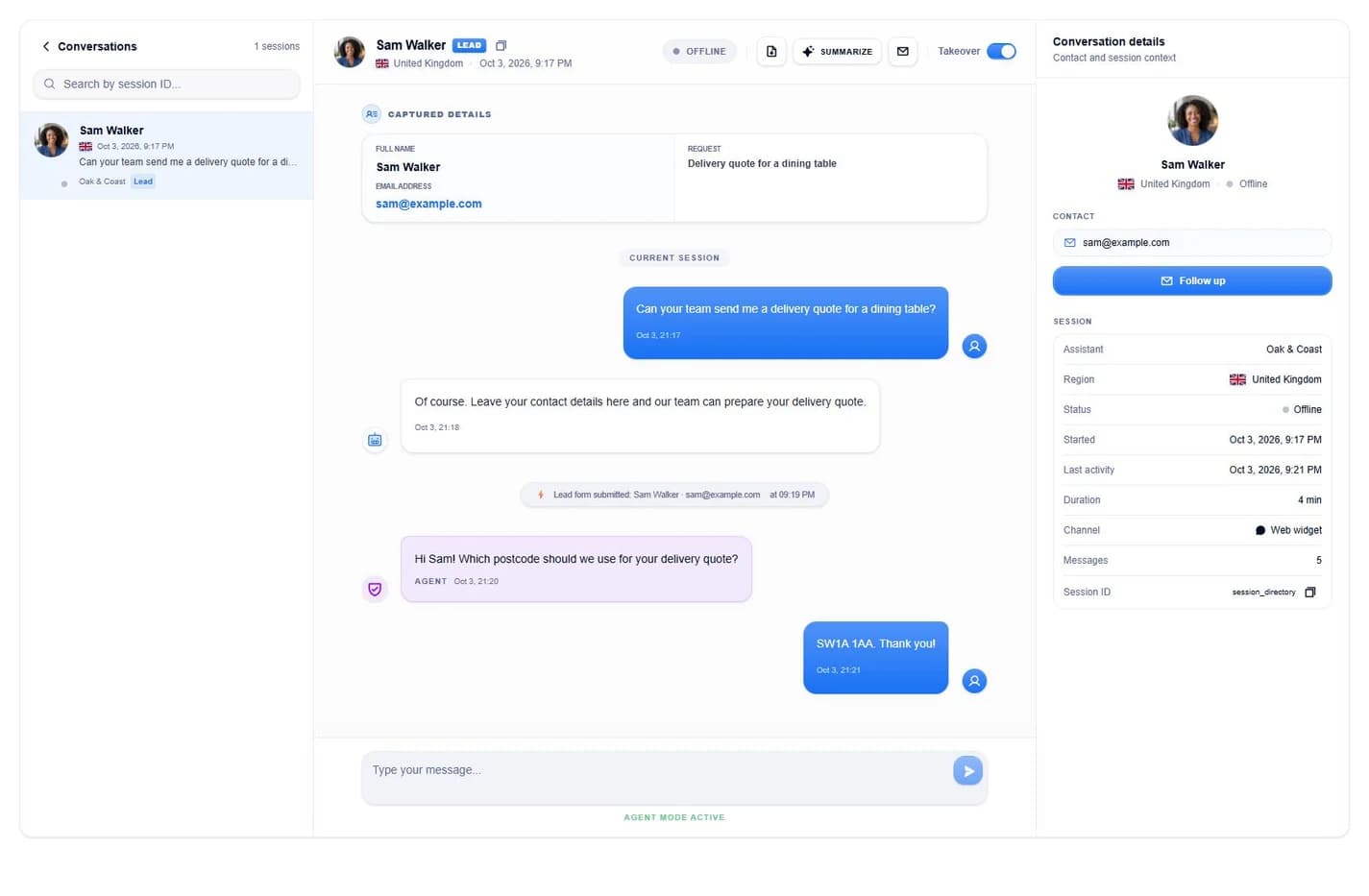
WORDPRESS FOR SETUP. CHIRPS FOR YOUR TEAM.
Stay close to your customers.
Read visitors’ messages in real time, take over when a person is needed, and follow up on leads and bookings in Chirps. WordPress gives you direct links and summary activity counts for your connected assistant.
Conversations with context
Your team can see the conversation and captured details before replying.
Make it work your way
Change the widget’s look, instructions, knowledge, and enabled features in Chirps.
BUSINESS SITES, STORES & CLIENT WEBSITES
Your site. Your rules.
Choose where the chat appears
Show it across your public site or limit it to pages, posts, and WooCommerce product pages. Exclude specific paths. Pause visitor display without deleting your assistant.
Help your WooCommerce shoppers
Answer from your public product and policy information. Cart, checkout, and account pages are excluded by default. Live inventory, order lookup, and cart actions aren’t connected by this plugin.
Read the store guideSet up your clients’ assistants
Each WordPress site has its own connection and page rules. Connect the assistant for that business, then manage its knowledge and team access in your Chirps workspace.
THE WORDPRESS GUIDES
Get more from your assistant.
AI Chatbot for WordPress: A Business Owner’s Guide
What to look for in a WordPress chatbot, how business training works, and how to turn visitor questions into useful conversations with Chirps.
Read the guide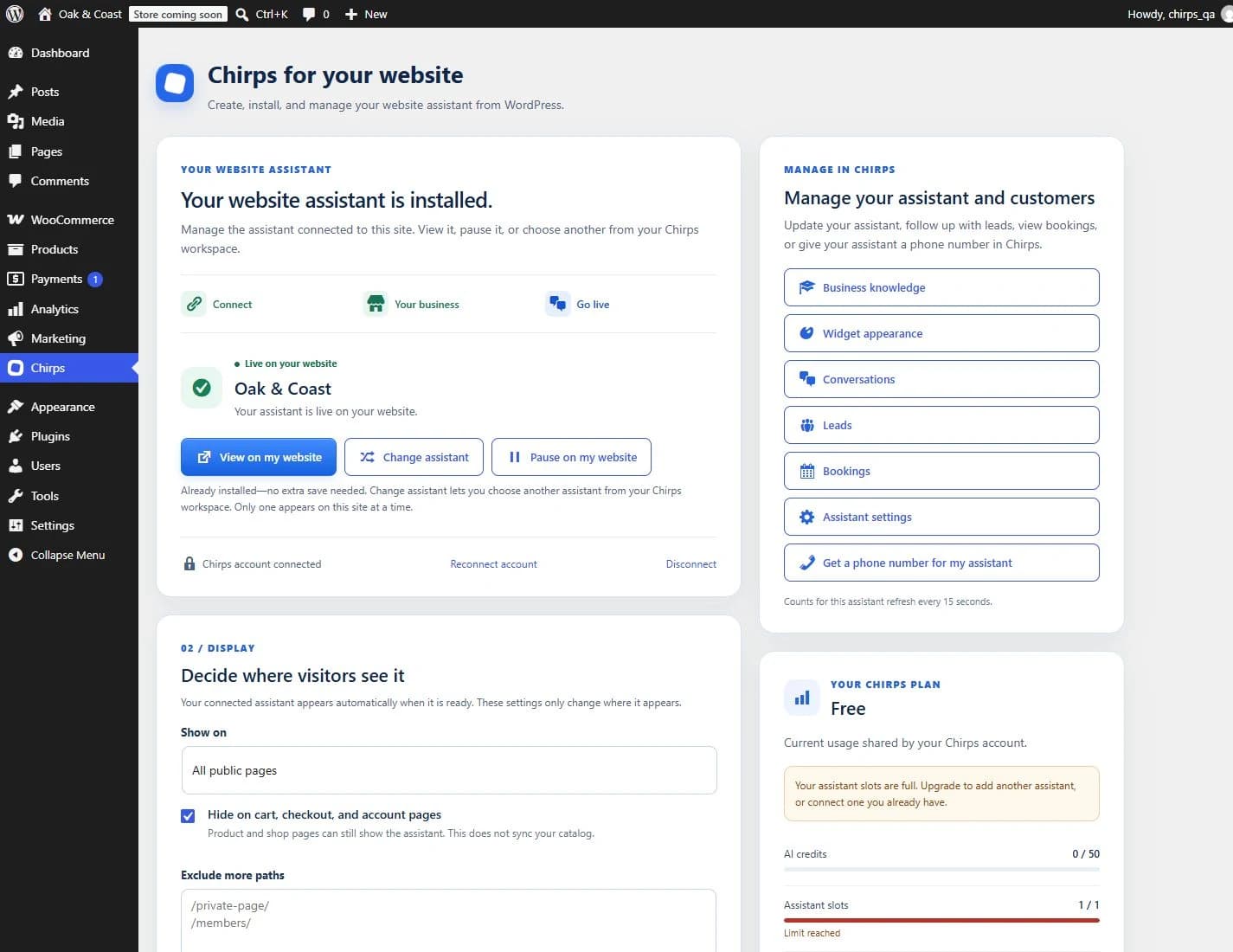
How to Install Chirps on WordPress: Complete Setup Guide
A step-by-step guide from plugin installation to a working website assistant, including existing assistants, page rules, training, and troubleshooting.
Read the guideWooCommerce AI Customer Support: A Practical Store Guide
Build a helpful store conversation with Chirps while keeping public product knowledge separate from private orders, live stock, and checkout actions.
Read the guide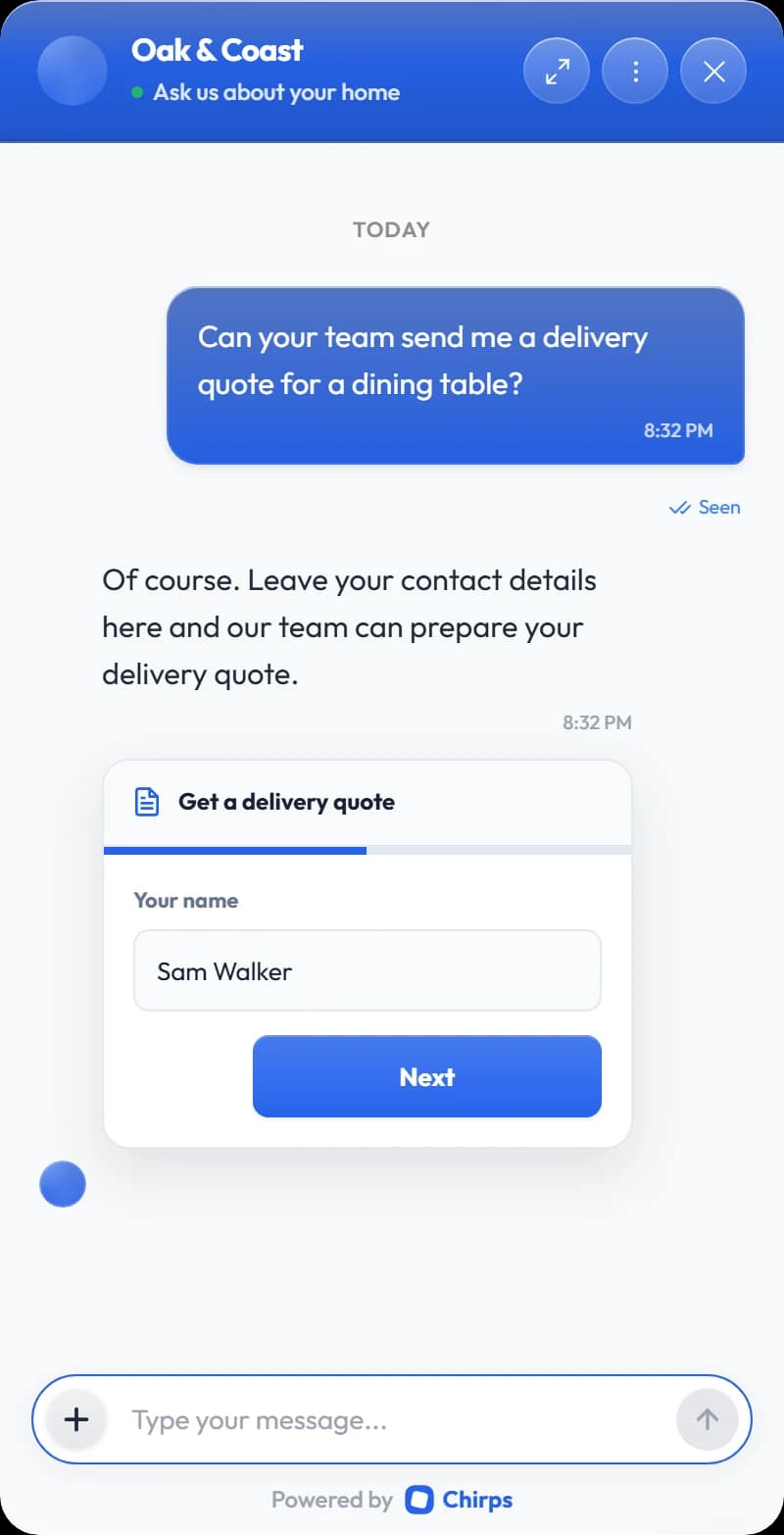
WordPress Lead Generation Chatbot: From Questions to Inquiries
How to design a useful question-to-inquiry workflow with Chirps, including qualification, form fields, bookings, spoken intake, and team notifications.
Read the guideIs the WordPress plugin free?
The plugin is free to install. A Chirps account is required, and the hosted Chirps service offers free and paid plans. Features, training allowances, assistant slots, and AI usage depend on your plan and configuration. You can view usage in WordPress and upgrade in Chirps billing.
Do I need an assistant or an API key before I start?
No. Connect your Chirps account, then create an assistant directly in WordPress using your business details. The account connection handles the installation key for you. If you already have an assistant, you can select it instead.
Can I use Chirps with WooCommerce?
Yes. The widget can appear on shop and product pages. Cart, checkout, and account pages are excluded by default. Add your public product and policy information to the assistant’s knowledge. This plugin does not automatically sync live stock, prices, private orders, or cart actions.
Where do I manage messages, leads, and appointments?
Open the relevant Chirps dashboard from the links in WordPress. Your team can read conversations in real time, review leads and bookings, and take over a conversation. WordPress shows summary activity counts; customer messages and contact details remain in Chirps.
Can I use it for my clients’ websites?
Yes. Each WordPress installation has its own assistant connection and display rules. Connect the assistant for that business, choose where it appears, and manage its knowledge, appearance, and team access in Chirps. Workspace limits and permissions apply.
Will it work on a local WordPress site?
You can connect a local WordPress site and preview an assistant. Chirps cannot crawl localhost or private development URLs, so provide a publicly accessible business website or add knowledge in Chirps. On WordPress.com, your plan must allow plugin installation.

CHIRPS + WORDPRESS
Give your website a helpful assistant.
Install the plugin. Connect Chirps. Build it from your business.
Plugin v0.3.1 · WordPress 6.0+ · PHP 7.4+